

Building documents
Not a document folder. A technical dossier in which documents mean something.
An inspection report is more than a PDF. It belongs to a building, a system, an obligation, a report date, a validity period, a supplier and a follow-up action. That is what Naxerio records.

Where is that document, and which version applies?
No more searching
Every document sits with the building, contract or compliance item it belongs to.
The right version
Version history shows which version applies and what came before.
Ready to hand over
At a change of property manager, an audit or a sale, you hand over a complete dossier.
What it gives you
Find documents straight away
Every document sits with the building, system or contract it belongs to.
Know what applies
Version history shows which version applies and what came before.
Ready for handover
At a change of property manager, an audit or a sale, you hand over a complete and organized dossier.
What's included
- One central dossier per building
- Per document the status, report date, expiry date and supplier
- Document types and metadata for quick retrieval
- Version history of every document
- AI document chat: ask a document questions and get the page with the answer
- Links to the building, contract and compliance item
- Protected by default, only for authorized users
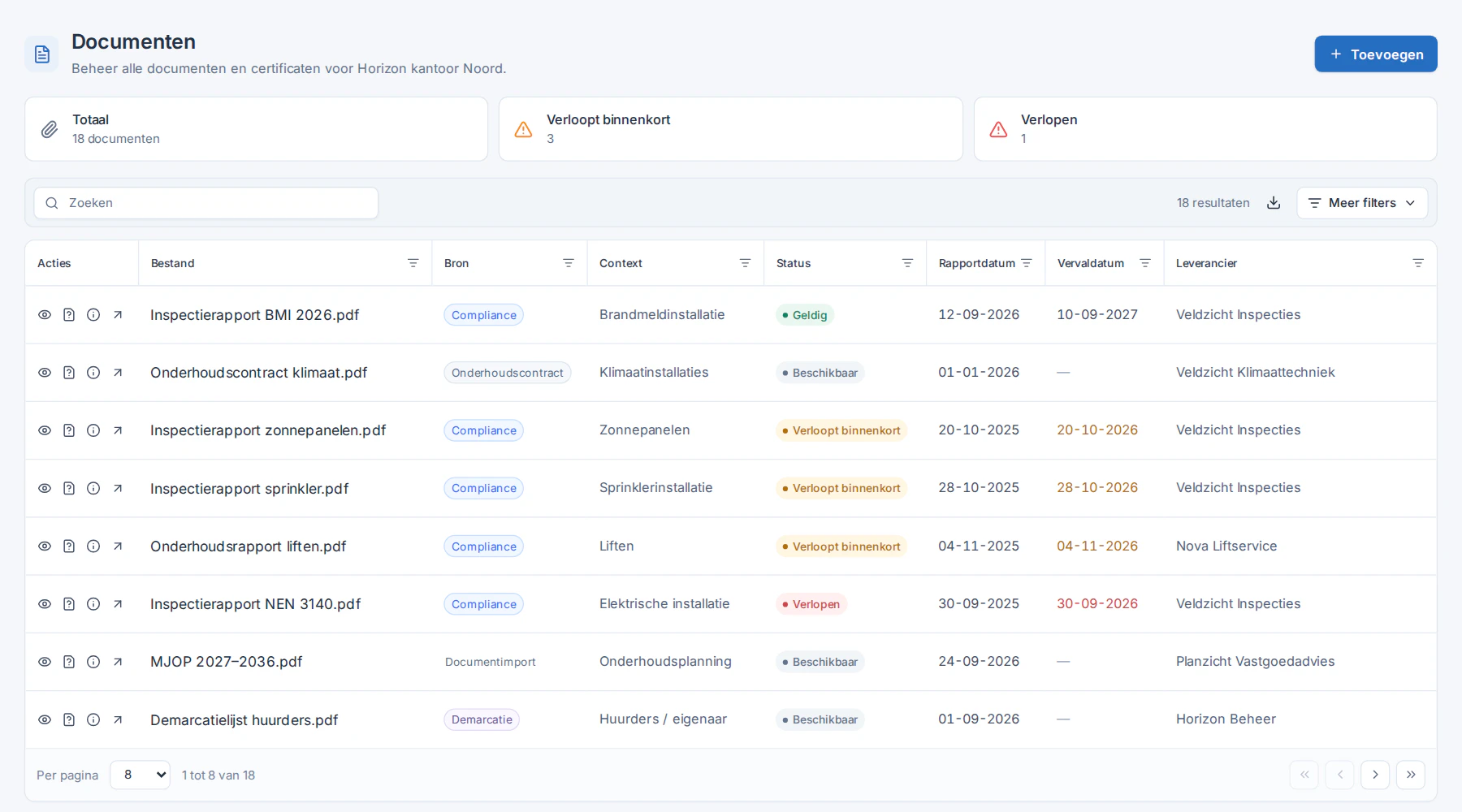
Real screenshot from Naxerio (Dutch interface), with demo data.
Just ask your document.
No more reading forty pages to find one date. With document chat, you ask the document itself and see which page the answer is on.
- Ask your question in plain language, about one document.
- You get an answer with the page it comes from.
- So you can check the answer in the source straight away.
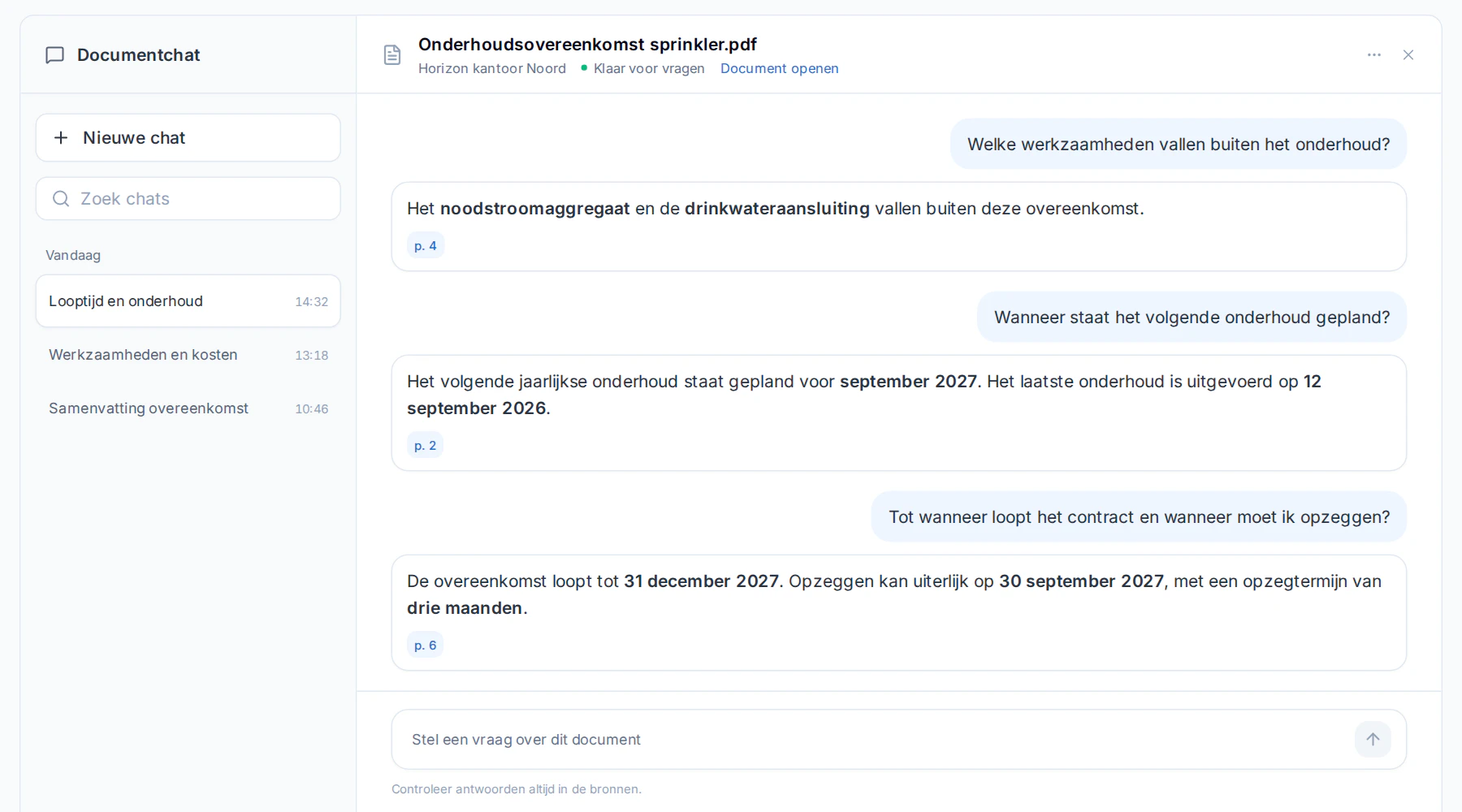
Real screenshot from Naxerio (Dutch interface), with demo data.
How it works
- 1
Upload
Add documents to the building's dossier.
- 2
Link
Connect them to the contract or compliance item they belong to.
- 3
Find
Filter by type, building or item, and find it in seconds.


A new property manager finds everything in one dossier.
At a handover, nobody has to start from scratch. All documents are with the building, in the right version.
Frequently asked questions
Are my documents publicly accessible?
No. Documents are stored securely and are only visible to authorized users.
Can I see earlier versions?
Yes. The version history keeps earlier versions.
How is this different from SharePoint?
SharePoint stores files. Naxerio records what a document belongs to and what it proves, so you see what is there, what is missing and what expires.
PERSONAL DEMO
See your own building in Naxerio.
In a 30-minute demo, we look at one of your buildings together and at how Naxerio fits alongside the systems you already use. No sales pitch, just a clear picture.
Still exploring? Download the brochure