

Maintenance contracts
Which systems are covered, and where are the gaps?
Not just which contract you have, but which systems it actually covers. Record contracts with the building and its systems, and see where coverage is missing.

What does this contract cover, and when does it end?
Renew or cancel in time
You get a heads-up before a contract ends, so you are not tied to an automatic renewal.
Know who to call
Per system, you see which supplier is responsible and which contract goes with it.
Keep track of costs
Contract value and term per building and portfolio, without pulling everything together by hand.
What it gives you
No more searching through contracts
Supplier, term, costs and the contract file sit with the building they belong to.
See what is covered
Per system, you see which contract goes with it, and where coverage is missing.
No automatic renewals
You get a heads-up well before a contract ends, so you can decide in time.
What's included
- Contracts linked to the building, its systems and the supplier
- Insight into missing coverage per system
- Contract documents and attachments in one place
- AI document chat: ask the contract questions and get the page with the answer
- Version history of current and earlier contract versions
- A heads-up when contracts are about to end
- Overviews per asset, building and portfolio
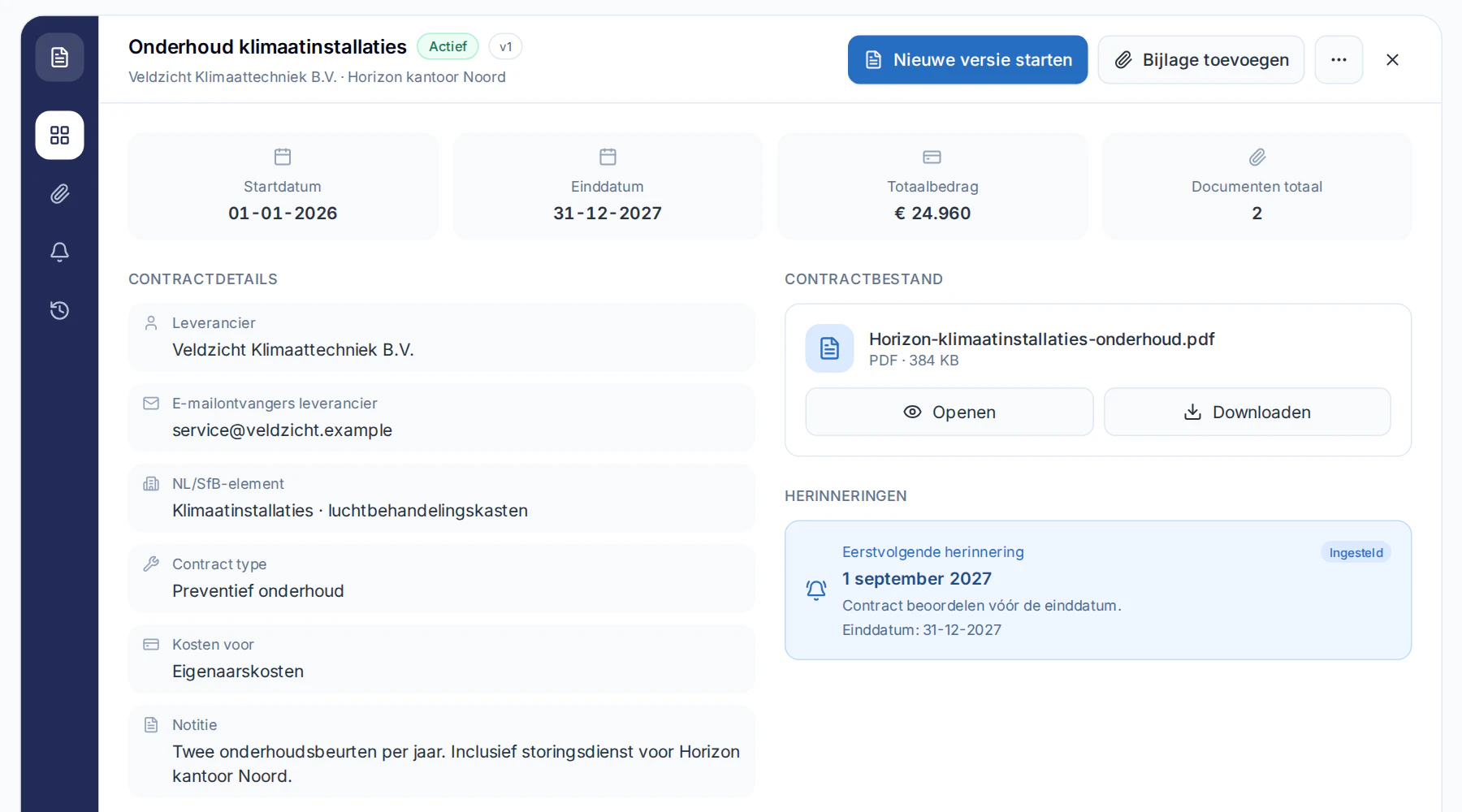
Real screenshot from Naxerio (Dutch interface), with demo data.
Ask your contract.
What falls outside the maintenance? When do I need to give notice? With document chat, you ask the contract itself, and get the answer with the page it's on.
- Ask your question in plain language, about one document.
- You get an answer with the page it comes from.
- So you can check the answer in the source straight away.
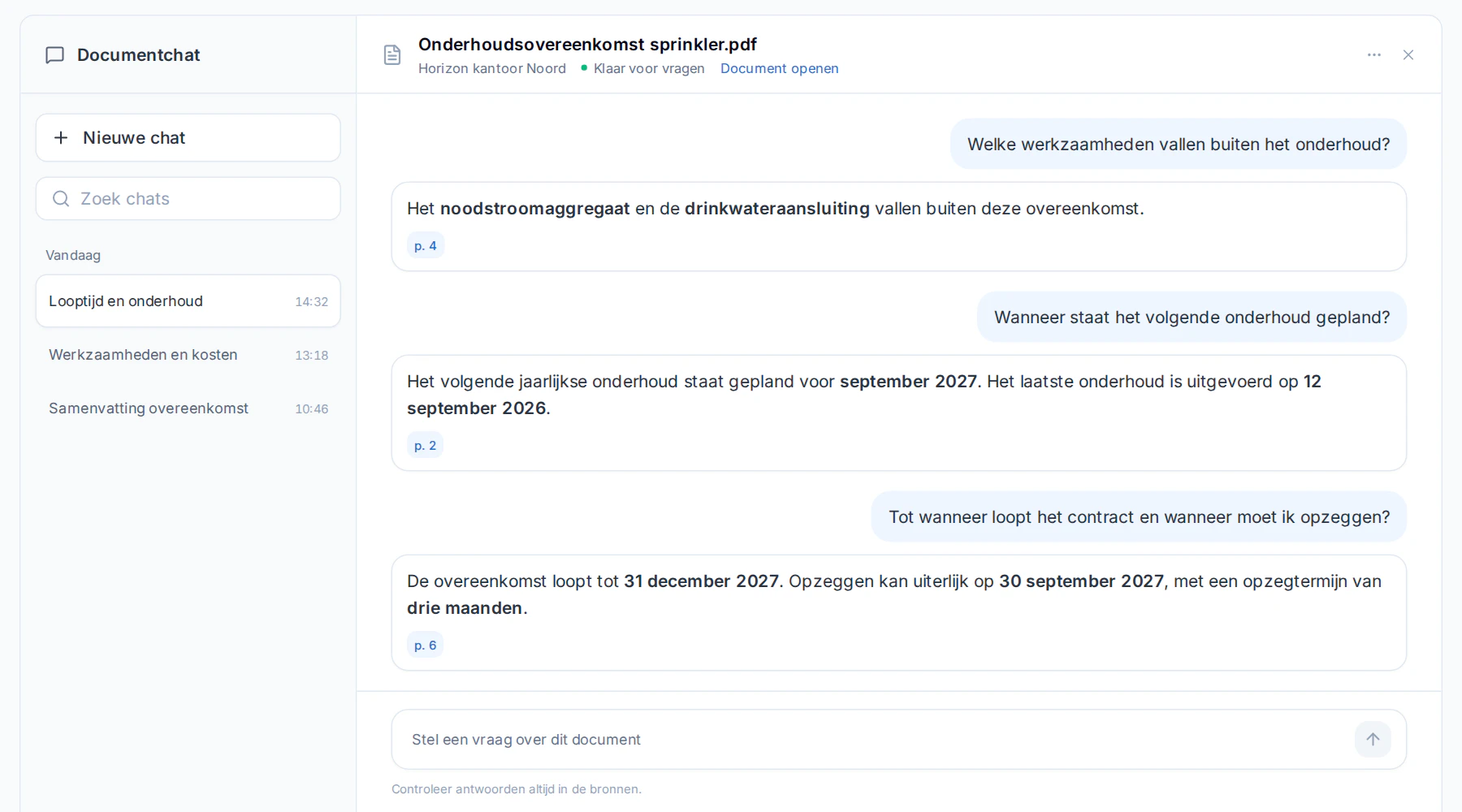
Real screenshot from Naxerio (Dutch interface), with demo data.
How it works
- 1
Record
Add the contract with the supplier, term and amount.
- 2
Link
Link it to the building and the systems it covers.
- 3
Stay on top of it
You see what is ending and get a heads-up in time.


No surprises from an automatic renewal.
Well before the end date, you get a heads-up. That leaves time to compare, renew or cancel.
Frequently asked questions
Can I keep older contract versions?
Yes. Naxerio keeps the current and earlier versions, with the related documents.
How does this connect to compliance?
Maintenance contracts and compliance items refer to the same systems, so per component you see who is responsible and what you can prove.
Can I export contracts?
Yes, as an overview per building or portfolio for meetings and budget rounds.
PERSONAL DEMO
See your own building in Naxerio.
In a 30-minute demo, we look at one of your buildings together and at how Naxerio fits alongside the systems you already use. No sales pitch, just a clear picture.
Still exploring? Download the brochure