

Element register
The technical foundation under Naxerio.
The register of building components and systems per building, classified according to NL‑SfB, the Dutch standard for building elements. Compliance, contracts, maintenance, MJOP, responsibilities and documents all link to it. That is what makes Naxerio more than a document system.

What is in this building, and where does that information come from?
Everything links to the element
The building, its components and systems, with the compliance, contracts, maintenance, responsibilities and documents that belong to them.
Origin visible
Per element, you see whether it entered the register through compliance, through maintenance or through both.
Ready for your MJOP
Your multi-year maintenance plan starts from the elements already in the dossier.
What it gives you
A register that fills itself
Systems come in through compliance and maintenance contracts. You only add what is missing.
Know what is in the building
Building components and systems according to NL-SfB, with the documents, contracts and responsible parties alongside.
A basis to build on
Your maintenance plan, your contracts and your compliance all refer to the same elements.
What's included
- Classification according to NL-SfB
- Elements from compliance and maintenance contracts
- Links to documents and contracts
- Add and correct where needed
- The basis for maintenance planning and handover
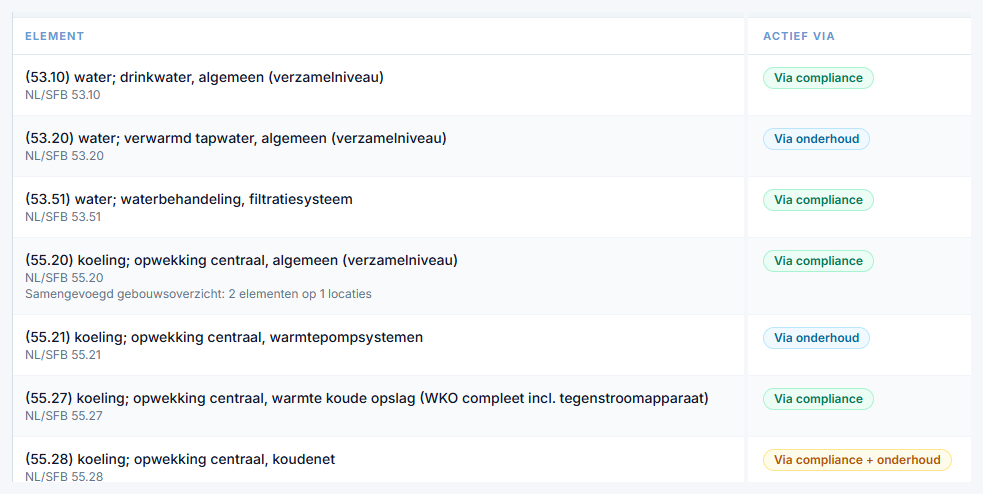
Real screenshot from Naxerio (Dutch interface), with demo data.
Systems from your existing documents.
When inspection and survey reports are read in, the AI recognizes which system they concern. If it doesn't exist yet, you add it to the register in the same step.
- Upload up to 50 documents at once, as PDF, Word or Excel.
- The AI reads the whole document and extracts the data that matters.
- You check every proposal with the source alongside. Only then is it recorded.
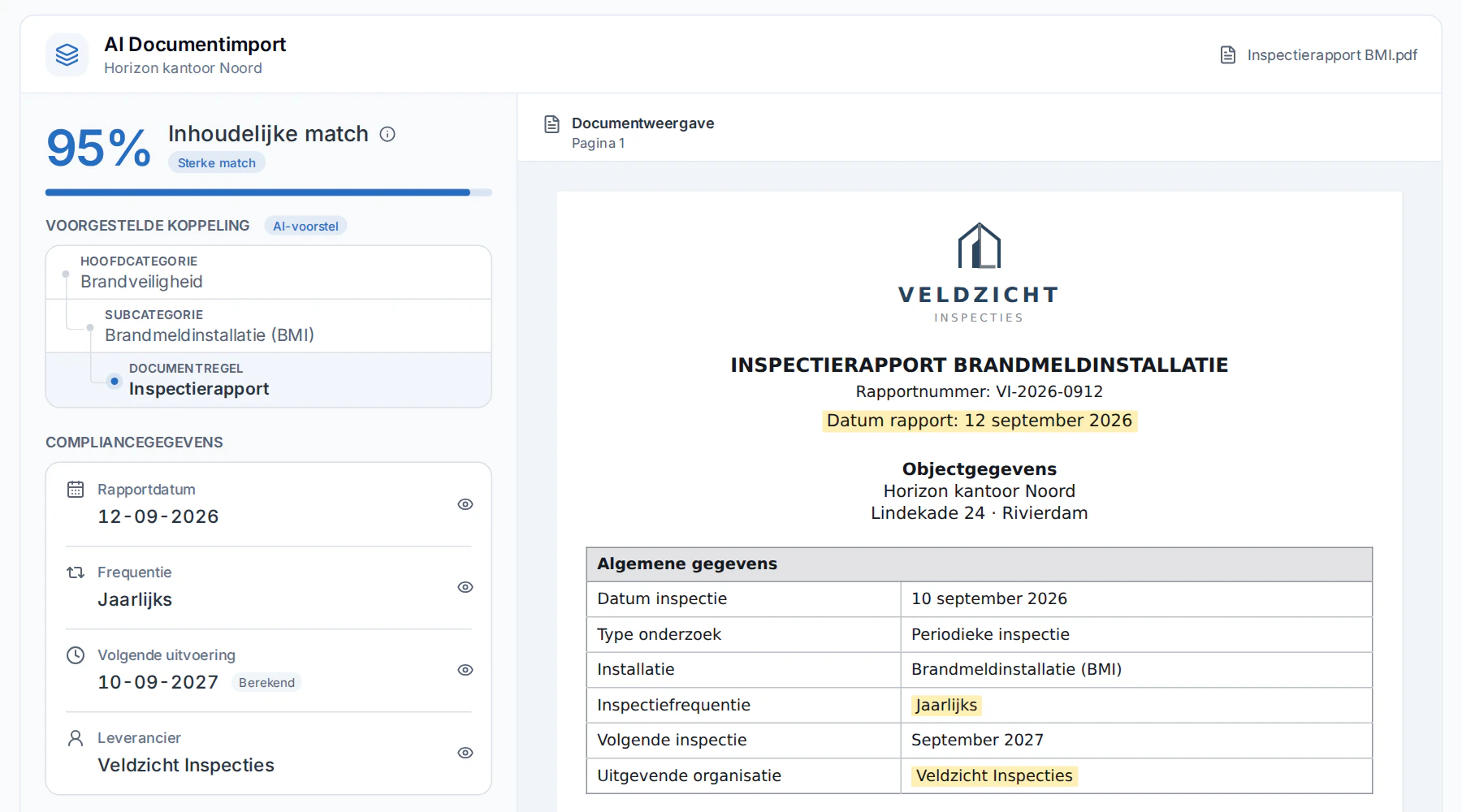
Real screenshot from Naxerio (Dutch interface), with demo data.
How it works
- 1
Build up
Elements come in through compliance and maintenance contracts.
- 2
Complete
Add what is still missing, according to NL-SfB.
- 3
Use
Plan maintenance and hand over from the same register.


Your MJOP doesn't start with an empty spreadsheet.
The elevators, the heat pump and the fire alarm system are already in the register, because they came in through compliance and contracts.
Frequently asked questions
Do I have to fill the register myself?
Mostly not. Elements come in through compliance and maintenance contracts. You add what is missing.
Which classification do you use?
NL-SfB, the standard classification for building elements in the Netherlands.
Can I add elements myself?
Yes. You add elements that have not yet come in through compliance or maintenance.
PERSONAL DEMO
See your own building in Naxerio.
In a 30-minute demo, we look at one of your buildings together and at how Naxerio fits alongside the systems you already use. No sales pitch, just a clear picture.
Still exploring? Download the brochure